
Antminer L9 Setup in 2026: Step-by-Step Guide for Beginners
Overview
Setting up an ASIC miner like the Antminer L9 in 2026 might sound complicated, but it’s actually much easier than most people think — if you follow the right steps.
The problem is, most beginners make mistakes early:
- Wrong power setup
- Poor ventilation
- Incorrect pool configuration
And those mistakes can cost you time, money, and performance.
So instead of guessing, this guide will walk you through exactly how to set up your Antminer L9 properly, from unboxing to mining your first coins.
Whether you’re a beginner or setting up multiple machines, this guide keeps things simple and practical.
What You Need Before Setup ANTMINER L9
Before you even plug anything in, make sure you have these ready:
Essential Requirements
- Antminer L9 device
- Compatible power supply (PSU)
- Stable internet connection
- Ethernet cable (Wi-Fi is NOT recommended)
- Mining pool account
Environment Setup
- Cool, ventilated space
- Stable electricity
- Noise-tolerant area (ASICs are loud)
Skipping this step is one of the biggest beginner mistakes.
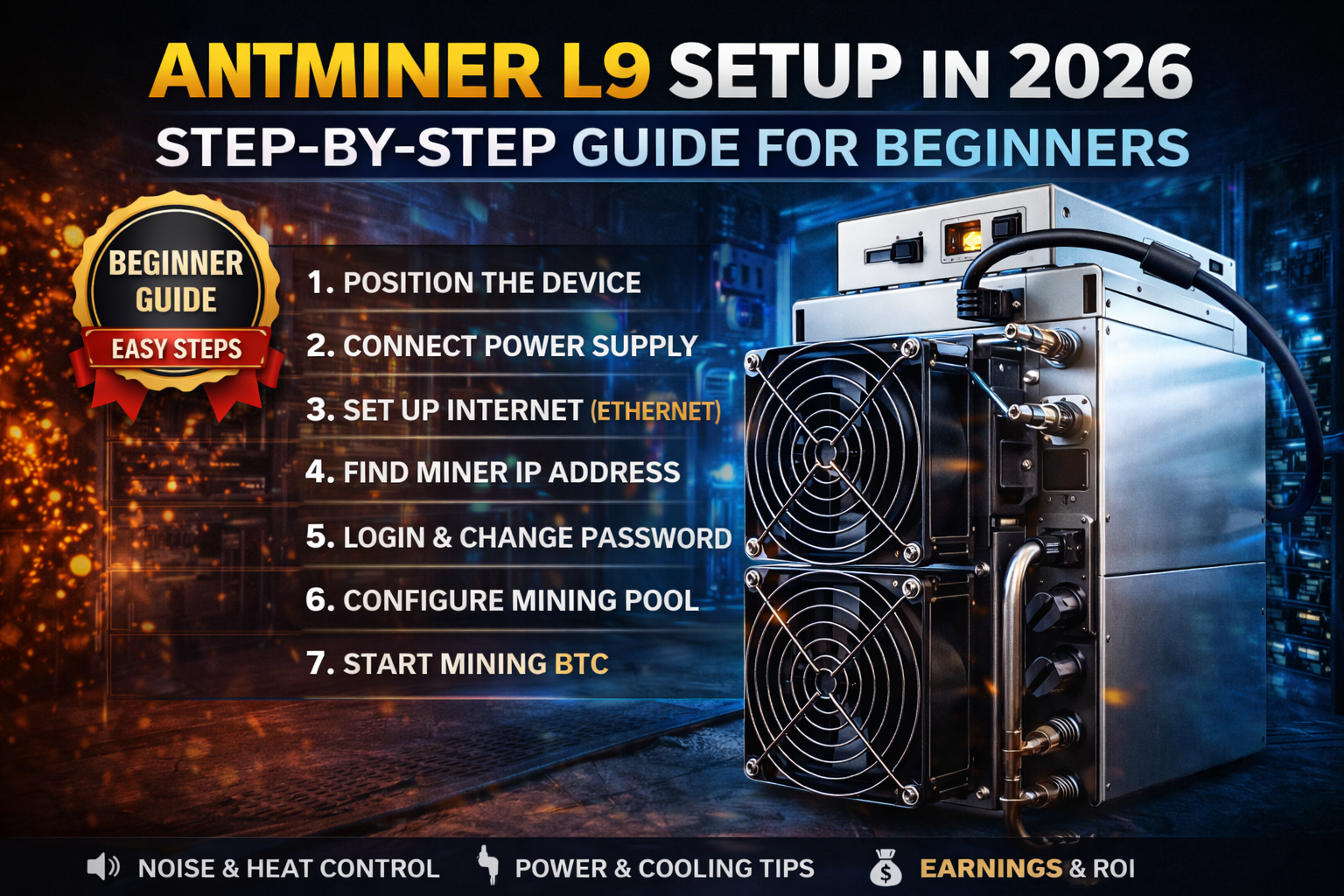
Step 1: Position Your Antminer L9 Properly
Where you place your miner matters more than you think.
Best Placement Tips
- Keep it in a well-ventilated area
- Avoid enclosed spaces
- Place it on a flat, stable surface
- Keep away from heat sources
Why This Matters
ASIC miners generate serious heat.
Bad placement = overheating = reduced performance.
Step 2: Connect Power Supply (Important)
This is where many people get nervous.
What to Do
- Connect PSU cables to the miner properly
- Ensure all ports are fully plugged
- Double-check voltage compatibility
Safety Tip
Never turn on the miner before confirming:
- Correct voltage
- Stable power source
Electricity issues can damage your hardware instantly.
Step 3: Connect to Internet
For stable mining, always use:
- Ethernet cable (recommended)
Avoid Wi-Fi because:
- It’s unstable
- Can cause mining interruptions
What Happens Next
Once connected, your miner will:
- Get an IP address
- Become accessible on your network
Step 4: Find Your Miner’s IP Address
To configure your Antminer L9, you need its IP.
Methods
- Use router dashboard
- Use IP scanner tool
Once found:
- Enter IP in your browser
- Open miner dashboard
Step 5: Login to the Miner Dashboard
Default login (usually):
- Username: root
- Password: root
Once inside, you can control:
- Mining settings
- Performance
- Network
Change login details after setup for security.
Step 6: Configure Mining Pool
This is where your miner starts making money.
What You Need
- Mining pool URL
- Worker name
- Password
Example Setup
- Pool: stratum+tcp://pooladdress
- Worker: yourusername.worker1
- Password: x
Click Save & Apply
Step 7: Start Mining
Once configured:
- Miner connects to pool
- Hashrate begins
- You start earning
What to Check
- Hashrate stability
- Temperature levels
- Fan speed
Power Consumption (What to Expect)
Antminer L9 is a high-performance machine.
Typical Power Use
- ~3000W+ (varies by model)
Important
Your electricity cost will directly affect profitability.
Profitability (Real Expectations)
Let’s be honest.
You won’t get rich overnight.
Your earnings depend on:
- Coin price
- Difficulty
- Electricity cost
Smart Approach
- Track daily earnings
- Monitor expenses
- Adjust strategy over time
ROI Time (Return on Investment)
Typical expectations:
- Several months to years
Depends on:
- Electricity cost
- Market conditions
- Setup efficiency
Noise and Heat on ANTMINER L9
Noise
- Very loud (70–80 dB)
- Not ideal for indoor living spaces
Heat
- Produces significant heat
- Requires proper ventilation
Common Mistakes to Avoid
- Using unstable power
- Poor ventilation
- Wrong pool configuration
- Ignoring temperature
Avoiding these alone can save your setup.
Beginner Advice: Is This Worth It in 2026?
Yes, if:
- You understand mining basics
- You have stable electricity
- You think long-term
No, if:
- You expect quick profits
- You can’t manage heat/noise
- Electricity is expensive
Final Verdict
Setting up the Antminer L9 in 2026 is not hard.
But doing it correctly makes all the difference.
If you:
- Follow proper setup
- Manage power and cooling
- Choose the right mining pool
Then you’re already ahead of most beginners.
FAQ
Is Antminer L9 beginner-friendly?
Yes, if you follow a proper setup guide.
Can I use Wi-Fi?
Not recommended — use Ethernet.
How long before I start earning?
Immediately after connecting to a mining pool.
Is it profitable?
Depends on electricity cost and market conditions.
Final Thoughts
Mining is not just about plugging in a machine.
It’s about setting up a system that works efficiently.
Once you get that right, everything becomes easier